
Klient PSA for Slack
For teams on Klient PSA
Your PSA, in Slack
Log time, create and update tasks and projects, and see where your week and your projects stand — without opening Salesforce.
Reads and writes as you, so your existing sharing rules and field permissions apply unchanged.

How it works
Everything happens inside Slack: a slash command, the app’s Home tab, or a button on a message.
Know where your week stands
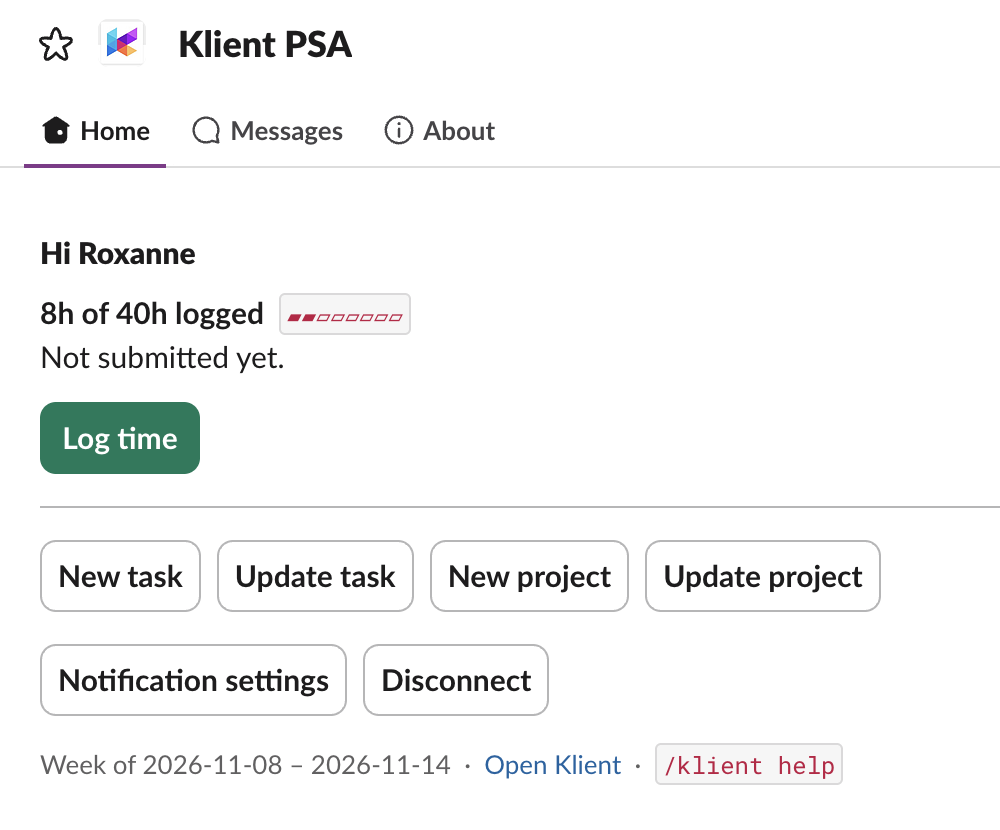
/klient-time-view
Hours logged against the hours you are expected to work, for this week or the one before it. The App Home tab shows the same thing without typing anything.
See what needs attention
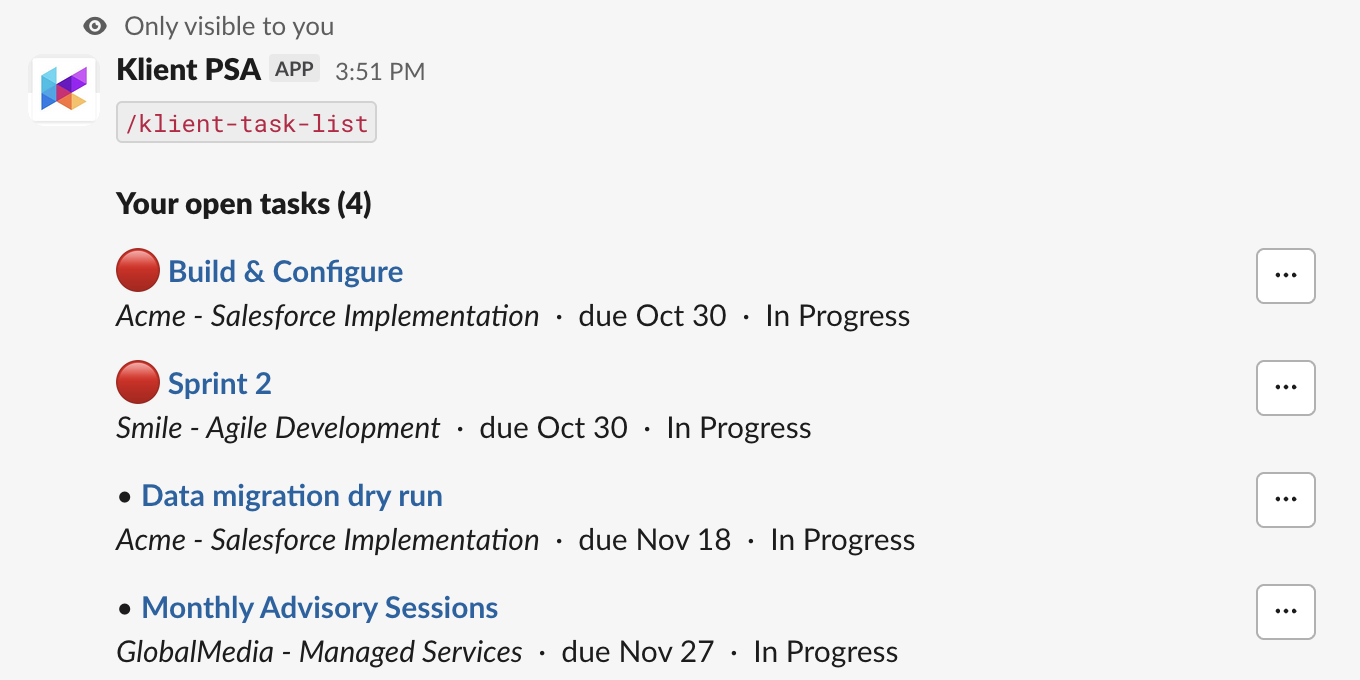
/klient-task-list /klient-project-list
Upcoming deadlines and project health — red, amber or green — for everything you are assigned to. In a project’s channel the channel is the filter.
Or skip the form entirely
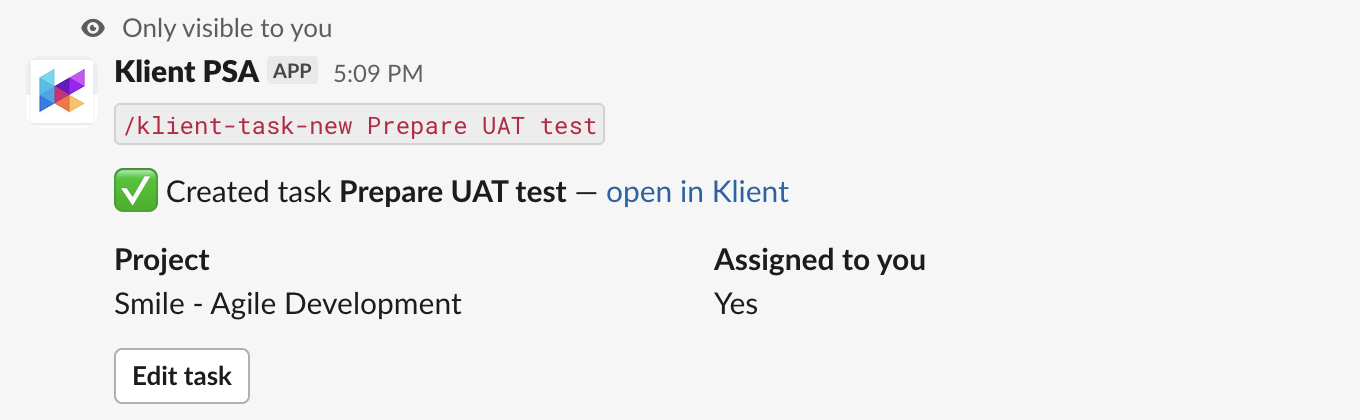
/klient-task-new Fix the login bug, project: Acme, due: friday
Every create and update also takes plain text. Dates understand today, friday, eow and +3d; statuses are matched against your own org’s values. Anything ambiguous is asked about, never guessed.
Set up in four steps
Each one is done once.
- Salesforce admin
Installs the Klient PSA Slack package, which Klient provides — ask support@klient.com — and assigns its licences to the people who will use the app.
- Slack admin
Clicks Add to Slack on this page.
- Slack admin
Runs /klient setup to connect your Salesforce org.
- Everyone
Runs /klient connect and signs in to Salesforce as themselves.
Klient sets how many licences your org has; your Salesforce admin assigns them under Installed Packages → Manage Licenses. Klient PSA itself is already in your org. On a sandbox, or enforcing My Domain login? Use /klient connect sandbox or /klient connect acme.my.salesforce.com.
Permissions and your data
What the app may do in your Slack workspace, what it keeps, and for how long.
Every permission, and why
Four scopes, each tied to a feature above. Nothing is requested speculatively — no message history, no file access, and not even your email address: you sign in to Salesforce directly, so we never need to match you by email.
| Scope | What it is for |
|---|---|
commands | Adds the /klient command. Without it there is no way to invoke the app. |
chat:write | Sends you direct messages: the result of a form once it has closed, the confirmation that your Salesforce account is connected, and timesheet reminders. |
im:write | Opens a direct message so timesheet reminders reach you privately rather than in a channel. |
users:read | Checks whether you are a workspace admin, so only admins can open the setup console. Also reads your time zone, so reminders arrive at your local time, and shows people’s names to your admin in that console. |
What happens to your data
| Credentials | Slack and Salesforce tokens only, encrypted at rest with AES-256-GCM. No passwords are ever seen or stored. |
|---|---|
| Klient records | Read on demand and rendered into a Slack message. Project, task and timesheet data is not copied into a warehouse. |
| What is retained | The link between your Slack and Salesforce accounts, your reminder preferences, and an audit record of writes made through the app. |
| How long | Tokens are destroyed the moment you disconnect or the app is removed — not held to a schedule. Everything else is deleted within 30 days of that. |
| Who can see what | Exactly what you can already see in Salesforce. The app acts as you, never as a shared administrator account. |
| Removing the app | Revokes every Salesforce authorization held for your workspace and deletes the stored tokens, then deletes the workspace's records — the audit trail included — within 30 days. |
| Deleting your own data | Run /klient disconnect. Your authorization is withdrawn immediately and your link and preferences are deleted within 30 days. The record of writes you made into your company's Salesforce belongs to your company and goes when they remove the app. |
Read Klient’s privacy policy.
Bring Klient PSA into Slack
A Slack admin installs it once for the workspace. Everyone else connects themselves.
Support
Email support@klient.com or call 1 (844) 438-5769. We reply within two business days, and you do not need an account with us to ask.